Wednesday, October 3, 2012

Sublime Text 2 review - Is it worth the money?

In my Common Lisp days I was a die-hard Emacs fan. Emacs is technically infinitely extensible thanks to Emacs Lisp, but it has a few annoying Emacsy quirks that can make it offputting to some. And when I learned that it did not support Clojure out of the box, it was a definite move to a better, more talked about text editor: Sublime Text 2.

This is commercial, closed-source software so I do feel obligated to state that I do not have anything to do with its development. It is hosted here: http://www.sublimetext.com/
and maintained by one developer, which is an enormous undertaking for making what I feel is the best multi-language editor around.

Let's jump into some screenshots and a run-down of the features.

This is one of Sublime Text's many color schemes. It is the beautiful default of light gray with many different colors for different reasons. Yellow literals, pink functions, blue symbols, etc. The most noticeable feature for most newcomers to the editor (I know it was one of mine) is the scrolling text column on the side that allows you to jump in between places in the file while giving you an overview of how large your file is getting.

Although that feature is small compared to the other features that Sublime Text has to offer.

There is a command pallet that contains a wide variety of features in the editor. Here you can see the impressive collection of inferior modes that it has to offer (inferior mode being syntax highlighting with some grammar rules, such as the highlighted ',' in Clojure). Some other talked-about features are multiple selection and goto anything. Multiple selection is very useful for when you need to turn a list of text into syntacticly-adhering code, or for massively changing a file in a short amount of time.

Splitting the editing pane, although a common feature in many editors, can also help increase the amount of work that can be done. Splitting can even work on the same file (different parts), making copying over code or memorizing some escape character a very easy task.

The selling point for me was the inclusion of Lisp, Clojure, Scala, and Java highlighting out of the box. No other editor I have encountered has done this in as friendly of a manor as Sublime Text has.

Is it worth the money?
You will see that my version of Sublime Text is unregistered. It is common in the community to pirate or keep an unregistered version while disregarding the "Nag screens" that show up. The developer was nice enough to not limit what this application can do (like LispWorks) does before a license is purchased, so many users do not even purchase it. I thought I would be one of them until I started uncovering the deeper features that the editor has, and now as soon as I scrounge up the money from my incredibly low wage job I will put fourth the $60 for the license. The developer has done a fantastic job, and deserves compensation for his work in my opinion. Also, the money secures the chance for future updates and maybe even a Sublime Text 3. 

Cinnamon 1.6.1 review

Using a third-party repository, it is possible to install Cinnamon 1.6.1 on Ubuntu 12.04 / .10. This is what I have done, and I have some criticisms regarding this release. The overarching theme is: the cinnamon team listened to Linus's advice of "If it compiles, it ships".

There is no doubt that cinnamon is a beautiful desktop environment. It has most of the features that Unity does with semantic searching and consumes less RAM than Gnome 3 or Unity. However, like the other versions, Cinnamon consumes slightly more CPU cycles than other popular desktop environments. If your processor is the weakest part of your computer, then this could result in the dreaded bottleneck.

Another advantage is the maturity of the Cinnamon API. There is an increasing number of extensions and third-party support available for it. Extensions can be read about in more depth here: http://cinnamon-spices.linuxmint.com/extensions 

These are not as required as they were for Gnome 3, since Gnome was quite a screw-up compared to previous versions.


 Expo, as expected, is just as good as it always was. Now there is a new feature that allows you to rename windows and even destroy them directly from the Expo dash.


But there is another disturbing bit of information that goes along with Cinnamon. One developer has been working on porting the Gnome keyboard shortcut option interface over to Cinnamon, and got stuck in the middle of his work when the release date hit. Whoops!


This means that custom keyboard shortcuts are a thing of the past. Until the developer finishes his work (hopefully before 1.6.2 launches) the default keyboard shortcuts will have to suffice. Yes, this does mean  closing windows with the awkward Alt+f4 combination, or moving them with alt+click.

To make matters even worse, programs that work as a graphical buffer between the configuration file and the input have all been broken by this impending migration, leaving the ability to make your own keyboard shortcuts COMPLETELY broken.

In lighter, better news for Cinnamon their new file manager, Nemo, has been finished and shipped with 1.6.1. Nemo is based on an earlier version of Gnome's Nautilus file manager, since the Gnome developers have been busy stripping features from their latest file browser. Also, Cinnamon no longer has memory issues. It tends to idle in the hundreds, where before it was not uncommon to have Cinnamon reach massive memory humps up to 800 MiB. And although Cinnamon does tend to consume more CPU Cycles than other desktop environments, the 17% CPU bug associated with opening the cinnamon menu has been fixed, meaning that searching can begin as soon as <Mod4> is pressed.


Sunday, September 16, 2012

Is Clojure a practical language / worth learning?

Over the past few days I have been teaching myself the very basics of Clojure (with a bit of difficulty), and I have been questioning whether or not Clojure is worth the trouble of learning about immutability, concurrency, and functional programming. After all, Clojure is one of the youngest and least cared about programming languages around, so why should the trouble be worth the time?
In this blog post I discuss whether or not Clojure is worth learning in my first installation on a line of blog posts concerning Clojure and functional programming.

Clojure is hard
The title says it all. As a programmer that has mostly worked in languages within the Algol branch (C++, Java, etc) the functional paradigm seems like a scary thing. Not being able to change the state of a vector or a map is equally as frightening at first, and having threads be such an integral part of the language does not soften the situation. Learning Clojure, especially since it is such a young language, is no easy task. Having a background in Python (or Lisp) and Java is almost an absolute must before you can even consider Clojure.

As you will read this hard work pays off.

Why Clojure is a good idea
A while ago I had a foray into Lisp and really left Lisp half-learned before I got antsy. The most recent documentation regarding Lisp was from around 2002, it had no unified (or good, for that matter) graphical toolkit, and it had major gaps in its usability in terms of strange forms (loop) and stack overhead when you don't want to use them. Although Lisp has its flaws, it is a wonderful language that allows the programmer to be concise with their code through something called Higher Order Functions. A single function can serve multiple purposes, a trait that I call programmatic nonlocality. In fact, I was able to rewrite an old text library from Java (originally 320-some lines) in less than 100 using Lisp.

However, Lisp has the shortcomings and the dead community that I described above. Meanwhile, the C*, Vala, Python, and especially Java communities (since the dawn of Android) have been experiencing a golden age of popularity. Not a single student in my High School Java class had written in Lisp; only one had so much as heard of its existence. Clojure is Lisp that compiles to the Java Virtual Machine, as you probably know if you are reading this article. That gives it the power to be compatible backwards and forwards with Java. This is called interoperability. Now you can have the elegance of Lisp without the guilt of using a nonpractical language. All of the Java libraries become available to you, and any Clojure libraries become available in Java. This comes into great use when dealing with functions conditionally has caused a massive decision tree, or when working with data trees requires good recursive capabilities. The "Hard Part" can be written in Clojure, and then you leave the sloppy imperative stuff up to Java.

The ability to enhance your Java programs with this "secret sauce" of computing is a trait that you should definitely look for as a programmer that is always looking to improve themselves. I have also found that the principles of Clojure are transferable to other programming languages. A programmer will think of how to solve a problem in Clojure and then implement it in whatever language they choose.

Downfalls
Most of the issues with Clojure will probably be short lived. In the world of programming Clojure is one of the youngest languages out there. (Right up there with Vala and LOLcode). The documentation is outdated, and bugs still exist within the language. Also, Clojure is not used on many projects yet because of its immaturity. This means that you may be the only person on your team that knows Clojure. Of course, that also implies that when you need help there will be a very limited community to lend you a hand.

Predictions
In general, most of the problems that Clojure faces comes from a small community of developers lucky enough to hear about Clojure before it gets big. I am convinced that Clojure will become more-and-more relevant in the coming years. Clojure is a language designed specifically to solve the problems introduced by other languages, and to create a modern toolkit for modern applications such as parallelism.

Applications
Clojure can be used wherever the 9 billion devices that use Java are used, even for Android applications. It compiles to a .class file that can interop with Java seamlessly.

Conclusion
Clojure is a strange language born out of a strange paradigm and the striving for perfection; the repair of the shortcomings of the languages before it. Learning Clojure will increase your ability as a programmer in general and how you use Java specifically to create efficient applications. Clojure is definitely worth learning, despite how hard it is for beginners and intermediate programmers alike.

Sunday, September 9, 2012

A quick review of Clojure

I just want to start off by saying that I do NOT KNOW CLOJURE. I have only experimented a little bit with it and do not have any professional opinions about it. These are my thoughts as a newcomer to the language coming from a Java / lisp background.

A bit about Clojure
Clojure is a Lisp dialect that compiles directly to bytecode for the Java Virtual Machine (JVM) like Java itself does. This gives it a property called Java Interopibility. This is one of Clojure's selling points. Java and Clojure are both completely compatible with one another in a compiled format. This means that you can use Java libraries in your Clojure project and vice versa. Even Swing / Awt graphical user interfaces can be integrated with your clojure project just as they would be in Java.

The Good
To start off Clojure IS a Lisp, and Lisp's syntax is terse and beautiful </opinion>. Clojure has fixed some of Lisp's problems, especially the awful way for handling iteration. In Clojure there is a macro called loop just like in Lisp, but the syntax is easier to follow. Here is an example using loop.
(loop [x 5] (print (concat "looping " (str x) " more times")) (if (= 0 x) nil (recur (- x 1))))
This is obviously written in terrible form since it is pretty procedural, but this is supposed to showcase how loop works. It is a let form that can be returned to with recur. The magic here is that this does not create a stack overhead. No more stack overflows! Of course, infinite recursion can become a problem. But now recursing can be much lighter on the resources and you no longer need to declare a local function to recurse.

The best thing about Clojure is the Java interop, though. Java is one of the most widely used programming languages out there, running on billions of devices and being responsible for Android, desktop applications, and embedded systems in some cases. When you use Clojure you do not lose this massive support, or any Java libraries you have coded up in the past.

Clojure is an open-source project and you can view the source code for all of the base Clojure functions right on the github page.

The not-so-good
Clojure has a confusing means of editing data directly since just about everything but variables (declared with (def)) are immutable; they cannot be changed. This pretty much forces the functional paradigm down the programmer's throat and can actually halt good practice in some cases.

The language is young and not very well known. Its popularity is on the incline into the mainstream, but for now it is still an obscure language. Very few practical programs are written in Clojure and the documentation leaves a bit to be desired on the official Clojure website.

Also due to its lack of popularity as of right now there are few Clojure libraries to play with. However, Java Interop makes this less of a problem than it would with other languages (like Common Lisp, for instance).

The tools used to write Clojure are not as good as Common Lisp's yet, in my opinion at least. Emacs does not have a Clojure-mode, but one can be added through a third-party repository (although I could not get it working for the life of me on Emacs 24). Eclipse also has a plugin called counterclockwise that hooks up to the Lein REPL and provides tools for saving and compiling Clojure.

Clojure Resources
#clojure on Freenode IRC seems like _THE_ meeting place to discuss clojure and ask for help, or just to brag about something you wrote in Clojure. Even Clojure Programming by Emerick Carper & Grand , the de-facto Clojure book for beginners and intermediate Clojure programmers mentions #clojure.

Saturday, September 1, 2012

Common Lisp Tutorial preamble

Welcome to my Lisp tutorial. Just a while ago Lisp was a foreign language to me, and through study and determination (and a boatload of help from IRC users) I am finally started to get a grasp on the language. As a return to the Lisp community I will be writing the most extensive guide on this blog yet in a hope to teach Common Lisp to a complete newcomer to the language.

On IRC, many were in favor of using Common Lisp as a first programming language. I am in strong support of teaching FUNCTIONAL  programming as the first paradigm, but I am not in support of using Lisp for this purpose. For this reason the tutorial assumes a background in another programming language, but what that language is does not matter. If you know what the terms global variable, function (method), and structure mean then you are ready to learn Lisp.

Tuesday, August 28, 2012

Manjaro Linux review

***DEPRECATED***
Although some information on this page is relevant, it is outdated by a few months. A new version of Manjaro is out and there is a separate review for it: http://profectium.blogspot.com/2012/11/manjaro-linux-82-review.html

Manjaro Linux is a Linux distribution based on Arch Linux. Arch, for those that do not know, is a distribution designed to be completely minimal; this allows the user to build their system from the ground up. Manarjo is Arch Linux for people that want a functioning system out of the box. Using Manjaro still awards the user with the features of Arch Linux while being wrapped in a user friendly package.


 Installation
Manjaro Linux is very easy to install. It uses X by default but still uses an ncurses user interface that opens in a terminal to install. The installation takes considerably longer than any other Linux distribution I have ever seen before, mainly on the formatting part. The partition editor did not recognize my other partitions either, so I had to use the entire disk. The problems with the installer will be fixed some time this fall when the Manjaro Linux team finishes their graphical installer. If you have ever installed Archbang, it's basically the exact same experience.


First Impressions
Manjaro uses the lightdm display manager just like Ubuntu does. There is a sacrifice between memory usage and aesthetics here, however. Lightdm uses about 50 MiB more RAM than gdm does, and /etc/inittab is nowhere to be found. For those that do not want to kill lightdm and start X manually on every boot this could be a dealbreaker. I was not happy with this.

When choosing which CD .iso to install I chose XFCE. To my surprise it was heavily patched for Manjaro Linux. The entire XFCE experience was wonderful in terms of additions that the Manjaro Linux team made. I presume that the other desktop environment options are just as friendly if not moreso than the XFCE version of the distribution.

Prolonged use impressions *new*
I have recently discovered a very troubling bit on information about Manjaro. If you notice in the screenshot, 585 MiB of RAM was in use. This is a nominal sum in today's age, where having 8+ GiB of RAM is commonplace, but what is using all of that memory? It turns out that a kernel module named nvidia was installed during the Manjaro installation.

It dawned on me that Manjaro DID provide a boot option to not install video card graphics drivers, but I instead installed the drivers. Following this guide I blacklisted the nvidia kernel driver and restarted the kernel. Upon doing this X was completely brought to its knees by the absence of the Nvidia driver. X DEPENDS on the Nvidia driver as it is used in Manjaro Linux.

Manjaro Linux does not provide a flexible graphical system to meet the needs of a graphics-intensive user as well as one who does not use graphics. Rather, they polarized their distribution with two extremes that conflict with one another.

Installing Software
Unlike Archbang the pacman (package manager) mirrorlist is functional right out of the box and does not need any updating. Pacman even comes with a graphical frontend, making installing software possible for beginners.

The autoconf tools suite was not there by default, however. This made installing packages from the Arch User Repository (AUR) difficult. Any user wishing to compile their own software will also have to take the detour of manually installing the three packages that make up autotools.

Non-manjaro specific Arch Linux evaluation
Arch Linux, the system that Manjaro is based on, has quite a bit going for it. It is arguably the best documented distribution around with its wiki and forum. The AUR and official repositories are as up-to-date as portage, which until now has been the best repository tree I have ever used. Pacman is a bit cumbersome to use from the command line (pacman -Syu to update does not make immediate sense), but it is one of the selling points of Arch Linux.


Conclusion
If you are a user interested in Manjaro Linux it is completely usable as-is. For a user with a bit less experience with Arch Linux it would probably be wise to wait until the graphical installer is released to avoid the partitioning confusion that all users of Manjaro have run into so far.

After discovered the issue with X recently I have decided to jump ship to Fedora Linux. However, it is a very minor issue since the nvidia module only takes up about 111 MiB of RAM. The scary part about the issue is that other shortcuts like the X-dependency or lightdm could be lurking in the background of Manjaro Linux, making it an unreliable computing platform.

Saturday, August 4, 2012

Comparison of Window Managers and Desktop Environments Reloaded

About two years ago I compared all of the popular window managers with one another. Now that I have much more experience with the different desktop environments, I am going to give the COMPLETE rundown of all of the popular graphical environments. Let's start with my personal favorite, awesome Window Manager.

Awesome Window Manager

If KDE is a sword then Awesome Window Manager is a rock. It is a blunt environment that requires a knowledge of Lua to configure it. Windows tile and using the keyboard is pretty much necessary. This would be a very unfamiliar environment for someone coming from a floating Window Manager. However, the stock keyboard combinations and the efficiency of tiling combined with the number of tags by default make it a powerful tool in the hands of an advanced user. Awesome can be customized to do anything the user wants, and if that is an appealing trait and you have the time to configure it to no end then use awesome Window Manager.

Ease-of-Use: 2
Speed: 10
Aesthetics: 4
Productivity: 8

K desktop environment and Kwin

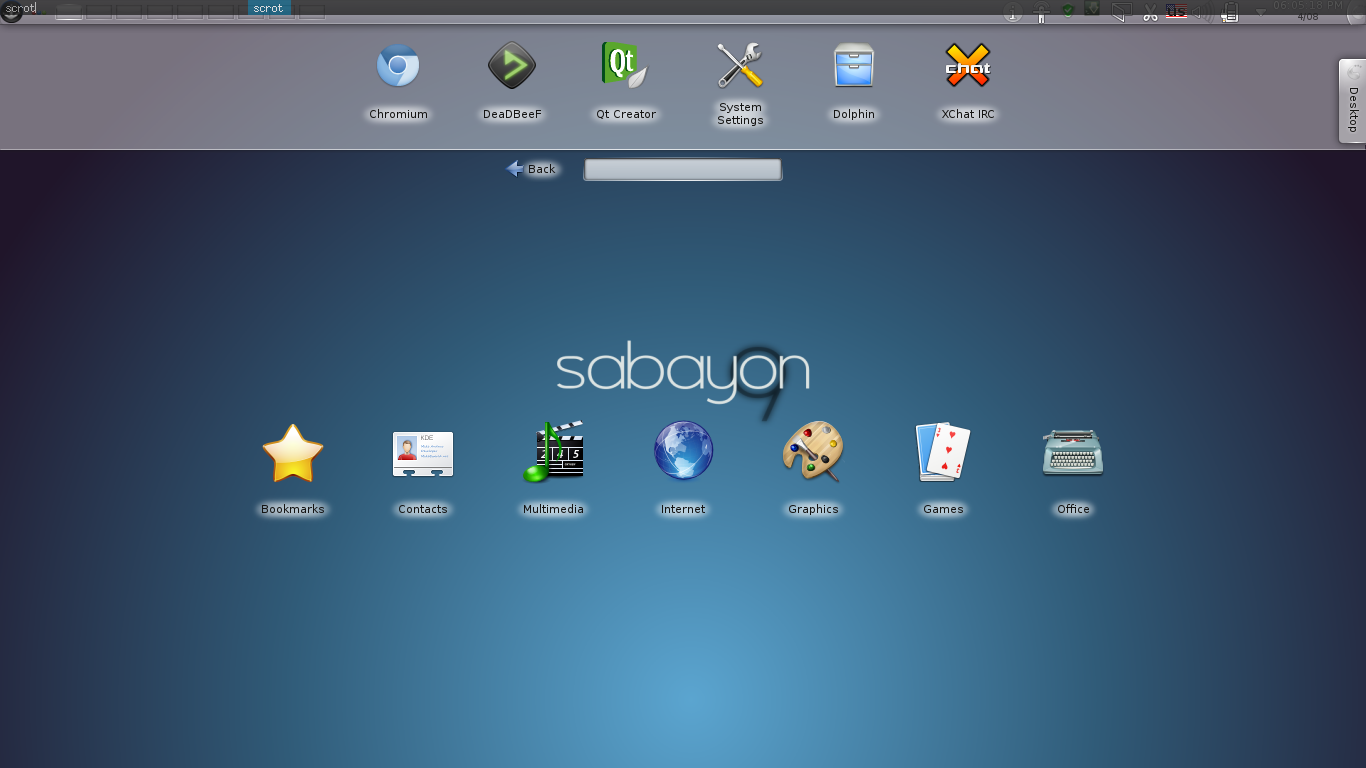
KDE is an impressive desktop environment to say the least. It has received flack online for its bloat, and that is a true problem. Services and superfluous programs clog the environment and bog it down, consuming RAM in the process. The desktop effects will require a graphics card and can slow any other task requiring one down, requiring them to be shut off. The true power of KDE comes from the very trait that gives it a bad reputation: the bloat. If there is something you want your window manager to do, KDE has a tool to do it.

With different activities you can transform your desktop into an Androidd-esque launcher, or set the wallpaper to monitor the local weather or simulate a virus. Tiling Windows, completely customizable keyboard shortcuts delimited by category, and the suite of applications that come as a part of KDE are just some of the great things that KDE has to offer.

Ease-of-Use: 9
Speed: 5
Aesthetics: 9
Productivity: 6

Unity

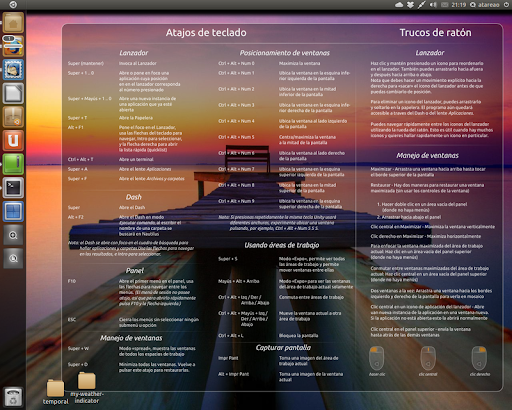
Unity is Canonical's modern user interface for their Ubuntu operating system. Unity was created after a fight with the Gnome 3 developers, and it prompted Gnome to create their own operating system to compete with Ubuntu. [opinion]Unity blows Gnome out of the water.[/opinion] In Ubuntu 11.04 Unity was a mess, but ever since 12.04 and Unity 5 it is a usable interface. It runs GTK, so Gnome programs don't pull a mess of dependencies. It also comes in 2d in the event of a weak graphics card, so Unity will run faster.

Unity is the least customizable of the bunch. There is a launcher on the left side of your screen. There are no options regarding this. The extent of theming that can be done ends with GTK and Icon themes and setting the Opacity of the integrated File menu.

Unity offers a unique feature called the HUD that can search through their integrated file menu (GTK and Qt applications move their options bar to the top of the desktop. This can be disabled.) The HUD is a tool of great productivity, and it learns like Gnome do does. The alt key brings it up and within a few keystrokes you can find an item from the context menu that would have taken a whole minute to navigate to by mouse.

Ease-Of-Use: 8
Speed: 4
Aesthetics: 8
Productivity: 8

Gnome 3

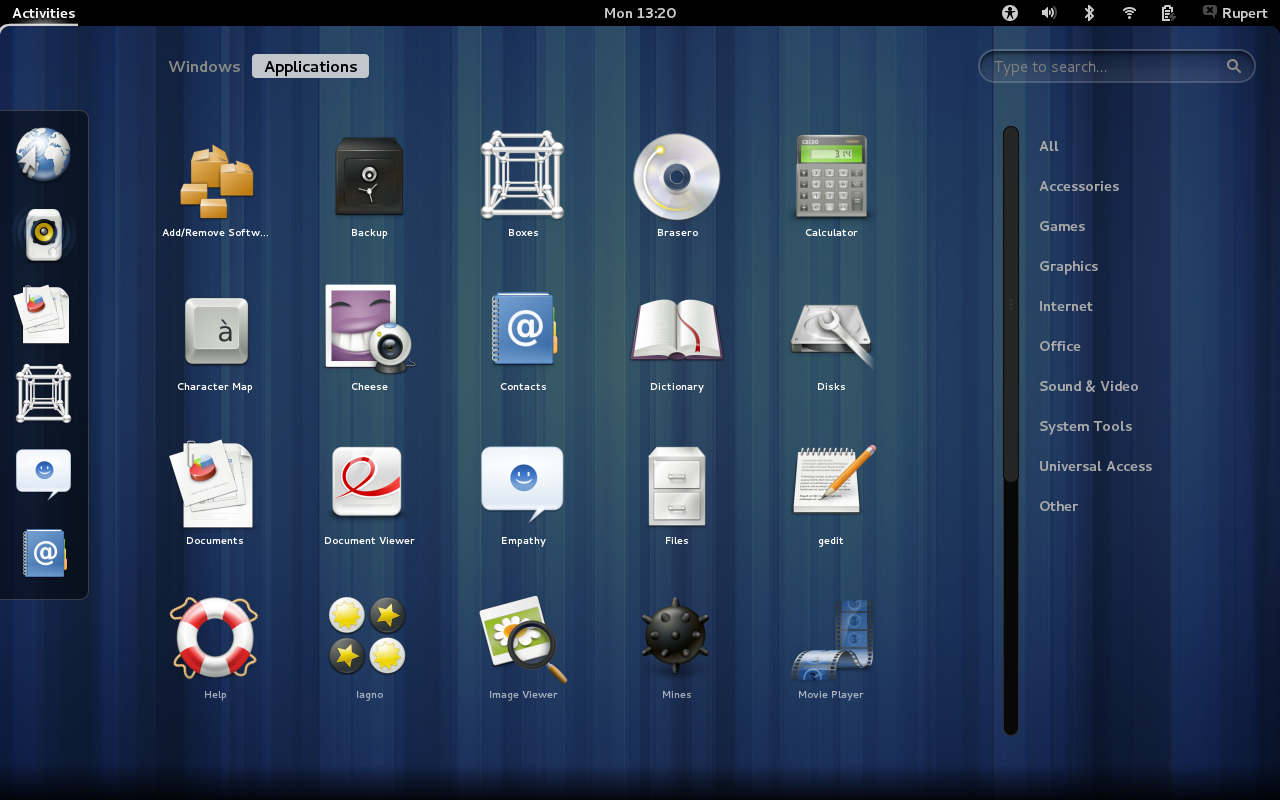
It only makes sense to write about Gnome after the entry about Unity. Gnome is, as Linus Torvalds himself described it: "A train-wreck". A few of the sparse good things to say about gnome are that it is themable and it can be extended with addons or with alterations to the internal settings. Gnome 3 comes with insane defaults (like only having the close button on the control bar and the notifications popping up from the bottom and waiting to be dismissed). If Gnome 3 were lightweight and ran a bit faster it would be a viable candidate. It doesn't, though. It consumes more memory than the plasma-desktop from KDE and does not have an option to lessen the effects like other Desktop Environments.

Ease-Of-Use: 6
Speed: 5
Aesthetics: 8 (the one good thing to say)
Productivity: 4

XFCE

Xfce is most well-known for being a lightweight, low-impact desktop environment. Xfce lives up to that reputation, having a RAM consumption only above that of LXDE and Awesome. In addition to being light it is still aesthetically pleasing and has enough tools to customize it to any user's heart's content (even moreso since 4.10 released the mine type editor).

The workspace system is a bit fluky at times, but that is the only real gripe that XFCE can get. I call this one error "leashed windows". Windows that have focus follow you to other workspaces. This usually only applies to switching using keyboard shortcuts.

 Just like Gnome 2.0 it comes with a panel to search through applications, and option to make launchers and links from the desktop, and applets for its panels. It improves on this with a dock (which many users, myself included, purge and replace with tint2 or another dock application) and a good settings tool. XFCE can do some very advanced things. It can even change its Window Manager. Awesome window manager inside XFCE? You bet.

Most of XFCE's applications can be run outside of XFCE, even the window manager. So you can use any combination of XFCE and another environment of your choice while still keeping a low memory profile since XFCE has very few runtime dependencies.

Ease-Of-Use: 8
Speed: 9
Aesthetics: 6 (But customizable to the point of 10)
Productivity: 8

LXDE

LXDE is a set of tools that combines with the Openbox window manager to create a graphical environment unmatched when it comes to ease-of-use combined with shear speed. Some have argued that because of the seperation of desktop environemnt and window manager that LXDE has a "hacky" feel to it. This is not the case. LXDE is a ligthweight XFCE with Openbox's graphical configuration tools. Lxterminal rivals Gnome terminal, and Lxappearance rivals myunity for theme configuration. In fact, lxappearance is the go-to application for changing gtk themes on other desktop environments, not just LXDE. Some of the default software is chosen well too. Pcmanfm as the file manager, for instance, goes along with the lightweight feel of LXDE. Like KDE and XFCE you can change LXDE's window manager from its configuration dialog.

Ease-of-use: 6
Speed: 7
Aesthetics: 5
Productivity: 7

Enlightenment 17

Enlightenment 17, e17 for short, is an odd desktop environment and graphical library suite written by the enlightenment foundation. It improved heavily on e16 and handles a lot of configuration on its first-time-run dialog. It can be heavily extended through configuration files, but otherwise it remains at the beautiful default.There are issues with the file manager handling the desktop, however, and it may throw the entire look-and-feel of the environment off.

 E17 really needs some work. I have had graphical problems and just found it counter-intuitive after it has been set up.

Ease-of-use: 5
Speed: 5
Aesthetics: 9
Productivity: 5

Dynamic Window Manager

Dynamic window manager is a popular dynamic window manager. Dynamic means that the window manager can float or tile, and in DWM's case monocle and spiral. DWM has no configuration tools and the only way to modify it is via the C source code directly. DWM developers have a philosophy that restricts the window manager to only 2000 lines of code, so large improvements cannot be made. Furthermore, users looking to use a mouse are going to feel left out. Although a mouse can minimally interact with the window manager a user with anything but a keyboard and combinations will be lost.

Ease-of-use: 1
Speed: 10
Aesthetics: 3
Productivity: 5

Cinnamon

When I first tried the most recent version of Linux Mint it came with Cinnamon - their home-grown desktop environment forked from Gnome 3. Cinnamon is the MATE of Gnome 3, you could say.

Cinnamon did not disappoint on the aesthetics. It was visually appealing to the last detail (as it was configured in mint, at least) and had the ability to be themed. The menu is one of the smartest (from a searching and design point-of-view) menus around. From one menu you can search for applications, search by category, and access bookmarked applications. The searching works as good as Gnome 3's does, so you can still use an application if you do not know its name.

Cinnamon comes with a feature called Expo that is one of its selling points. Expo can show a spread of all of your workspaces, and upon hovering over one a cascade of all the windows in that workspace. Clicking on a window will take you to that particular workspace and application window. If you have used Compiz expo, this is the same feature but integrated in the desktop environment.

There were two issues with cinnamon. The menu took 2 seconds and 17% CPU for a few seconds to open. I talked to a Cinnamon developer via IRC about this problem and he confirmed that it had been fixed and will be released in the next major cinnamon update. Along the lines of bugs there are memory leaks in Cinnamon, so it requires a restart after multiple hours of running to free some RAM.

 Another problem is that some of the layouts do not work at times, but at other times they do. There was no word on whether or not this would be fixed or whether or not it is really an issue. Another issue (not a bug) is the lacking of some advanced features from the cinnamon settings dialog, but advanced settings can still be configured with dconf.


Ease-of-use 7
Speed: 4
Aesthetics: 7
Productivity: 4

Others
TWM - Tab window manager. I have not used this long enough to give a definitive answer, but when I used it the window manager worked as it was intended - which isn't enough.


MATE - Displaced by cinnamon

Verdict:

For pure productivity
Awesome Window Manager is the most productive of the window managers if the user has the patience to edit the lua configuration file and learn the keyboard shortcuts.

Speed
For speed dynamic window manager wins. 2000 lines of code execute blazingly fast.

Aesthetics
KDE wins the aesthetics prize, especially if the advanced desktop effects are enabled with the search and launch activity.

Ease-of-use
Once again KDE wins this prize. Everything is handled for the user.

Final Verdict
KDE is the overall best desktop environment, but each has its own niche. To truly determine the best environment, using all of them and deciding on your own is the best way to make a decision.