I have long considered writing a post about the un-indexed web and the deep web (that can be accessed through tor). Whenever I started writing the post, something in my mind was telling me "STOP". That is because of the dark stigma related to the deepweb. I will start explaining exactly what these hidden internets are with an analogy.
Imagine the normal internet as being Boston. You live far away from New York City and are sometimes influenced by it, however, without prior knowledge you do not know that it is there. Boston is big, but further out there is a much larger city waiting to be discovered. You hop a ride on a special device called a car (a tor analogy) and ride into the large city, amazed at it's size. That is what this masked internet is like.
There is a difference between the unindexed internet and what people refer to as the "deep web". The unindexed internet is simply not cataloged by search engines due to being under password protection. For a safe example of what the unindexed web is like, go to www.strange.com. It is illegal to break into the servers, so what information is hidden is not legally accessible.
The "deepweb", on the other hand, is perfectly legal to view despite it housing content that is illegal in most countries. To access this internet, I would recommend downloading the tor browser bundle from www.torproject.org. You need some version of tor, but the browser bundle contains everything someone new to using it will need to keep safe. In addition to using tor setting up a proxy may be a good move to further protect yourself.
WARNING: Before you go any further make sure that you have cleared your internet history in all of your browsers and closed all processes relating to them.
ANOTHER WARNING: Some of the content located in the deep web is illegal to view. You can legally visit the deep web as long as you do not seek out this content.
Once you have the tor browser bundle, have closed all necessary processes, have a proxy set up to work with tor (optional), you are prepared to take your first step into the deep web. Start off with a popular starting point: kpvz7ki2v5agwt35.onion
As you can see that address has a new extension and an odd location. Copy and paste it into your tor browser as-is. Tor is slow, so be patient while you wait for it to load. A white screen should pop up with a link to the hidden wiki. The hidden wiki is a collection of links to useful services, like search engines for the deep web, email services, forums, hosting services, etc. I have never actually traveled beyond the articles on the hidden wiki since I do not want to stumble upon anything that could give me a criminal record or attempt to infect my computer with a virus (which I have no worries for, since I am a Linux user, but for those Windows users out there, I warned you.)
Here are some neat facts about the masked internets
The hidden internets make up about 99% of all of the interenet. The surface web with sites like facebook, twitter, google, etc. make up only a small 1%.
Much of that content is raw information that is poorly organized, but searchable.
A hidden operating system used to be available for download. The broken link still remains on the hidden wiki.
Several operating systems are dedicated to private browsing and/or the deep web, using default settings that protect your privacy even further than a normal OS.
So I have taught AND warned you about this internet. What you do with the information is your choice. I have never been any further than the hidden wiki, but just from some of the links that I have read there I can see that some of the content is dangerous (assassin markets and drug trade, just to name a few). So if you just wish to stick your head it like me, I wouldn't venture any further out than the hidden wiki.
Saturday, December 10, 2011

Sunday, November 6, 2011
Debian 6 - Squeeze
Ubuntu is one of, if not the, most popular Linux distribution; but it didn't just rise from the abyss. Ubuntu is actually a fork of another distribution called Debian, which takes to calling itself the "Universal Operating System". The reason for the fork was to create a familiar environment that is just updated more frequently than Debian was, and it seems to have stuck. Ubuntu is not the only fork of Debian, other distributions such as Linux Mint and Gnewsense are based off of Debian.
I was fearful of trying Debian at first, since I hadn't yet stepped out of the "user friendly distributions". When I first installed it a few months ago my fears were confirmed, and nothing seemed to be going my way. First of all, network drivers for my wireless card (Ralink) were not installed during the installation like other distributions have done. At first I blamed Debian for being a poor distribution, but it turns out it was done for a reason: my drivers were proprietary, but I did not yet know that. Next I ran into issues with composting, since Gnome 2 doesn't have a composting manager by default.
With all the trouble I was having with Debian I retreated back to Ubuntu, discouraged by everything that went wrong. 3 months past, and I was more eager than before to move away from Ubuntu. I searched around for what the root of my network problem could be until I found that it was caused by a proprietary driver not installed by default. I tracked down the exact driver I needed here, downloaded it from a computer with internet, and installed it on Debian with the command "sudo dpkg -i (filepath to the .deb). Now that I had internet, I was a happy camper since I would be able to search around on how to fix problems on the OS that was causing them.
After some work on it, I had it finetuned exactly to my liking, and all was good... until I managed to break it to the point that reinstalling would be the easiest thing to do. After a reinstallation I lost interest in Debian since I would have to reinstall all of the software I had lost and reset all of the keyboard shortcuts, settings, etc.
Overall I found Debian 6 to be an amazing Operating System once you get everything on it working. One of the greatest tricks is editing '/etc/apt/sources.list' to add, change, or remove repositories. The repositories for Debian 6 were somewhat outdated, even to the point where it still used Gnome 2, so adding a few new ones for more recent software is a good idea.
My recommendation to anyone considering trying Debian would be to not go with the stable release, but unstable or even the experimental one.
Tuesday, September 6, 2011
My robot status update

Before
⊕ No class files other than main.
⊕ Files were copied, saved, and added with the extra line.
⊕ A LOT of file, scanner, and printwriter classes.
Now
⊕ Separate class with 1 method and 1 more planned. Think and learn.
⊕ New tactics for detecting if input matches.(file.toString.contains(input)
⊕ Still many scanners, files, and printwriters.
Before the next update
⊕ Think method completion. Next would be learn.
⊕ Better handling of category completion booleans.
⊕ User-friendly mass editing program for the robot's learning file.
Tuesday, August 30, 2011
The Opera web browser
Opera is a small (11 MB for the version 11.50) web browser, but it has played a large roll in how we browse the internet today. It pioneered features like mouse gestures, closed tabs, and most notably tabs themselves. Even though Opera was the first to dream up these features it only has about 1% of the total market share of web browsers, internet explorer 8 being the highest.
The psychology to Opera's neglect
Why would a program that paves the way for browsing as we know it be used by only 1% of all of the millions of internet users?
Even if you had a war winning weapon you may still prefer an army. It's that philosophy that causes Opera to be an unpopular browser. You could assume that a browser with more users would have more support, addon writers, and helpers when something goes wrong.
People may also be afraid of the new untested features that Opera produces. Once features trickle down to other browsers they are refined to fit in with the style of that browser. In Opera they are all "fresh out of the oven" and may be scary concepts at first. It's exactly like how the Alpha phase scares some away while others prefer it, other people would prefer beta, others the stable release. Opera would draw from those who like the "alpha" phase of a new feature.
The browser itself
I had been contemplating download opera for a long time before I actually did it. I must have visited the download page 3 time over the past month before I actually decided to test it out. Once I ran it I was very pleased.
 Opera loaded in less than 2 seconds, which I expected because it had nothing added onto it. The next thing I noticed were the Panel, Opera Link, Opera Unite, and Turbo mode buttons.
Panel simply opens more options on the left side of the screen. What is shown here can be edited from the Opera menu. Opera link lets you access your bookmarks from anywhere. Opera unite seems to be pretty useful. Once you register an account it gives you some server space to put applications and files on. The turbo button improves browsing for those with slow internet connections by making great use of caching.
Opera caches by default and you may wish to make it check for changed on every reload. You can also do that from the Opera menu.
Compared to other browsers it seems to be extremely fast. Not only in startup, but in page loading as well. Even more so when using Turbo.
Addons, extensions, scripts
Opera is not compatible with firefox or chrome addons. This reduces the amount of addons by a lot. There seem to be plenty of Opera extensions that mimic some of the most popular firefox/chrome ones, but they still are not the same. There is some good news yet to come though. There is no need for Greasemonkey to install your own scripts or download them from userscripts.org You need to make your own folder for the scripts and copy the source code yourself. Then end it with the ".user.js" file extension, put it in the folder, and tell Opera to look in the folder from Opera menu> settings> preferences>Advanced>Content
The psychology to Opera's neglect
Why would a program that paves the way for browsing as we know it be used by only 1% of all of the millions of internet users?
Even if you had a war winning weapon you may still prefer an army. It's that philosophy that causes Opera to be an unpopular browser. You could assume that a browser with more users would have more support, addon writers, and helpers when something goes wrong.
People may also be afraid of the new untested features that Opera produces. Once features trickle down to other browsers they are refined to fit in with the style of that browser. In Opera they are all "fresh out of the oven" and may be scary concepts at first. It's exactly like how the Alpha phase scares some away while others prefer it, other people would prefer beta, others the stable release. Opera would draw from those who like the "alpha" phase of a new feature.
The browser itself
I had been contemplating download opera for a long time before I actually did it. I must have visited the download page 3 time over the past month before I actually decided to test it out. Once I ran it I was very pleased.
Opera loaded in less than 2 seconds, which I expected because it had nothing added onto it. The next thing I noticed were the Panel, Opera Link, Opera Unite, and Turbo mode buttons.Panel simply opens more options on the left side of the screen. What is shown here can be edited from the Opera menu. Opera link lets you access your bookmarks from anywhere. Opera unite seems to be pretty useful. Once you register an account it gives you some server space to put applications and files on. The turbo button improves browsing for those with slow internet connections by making great use of caching.
Opera caches by default and you may wish to make it check for changed on every reload. You can also do that from the Opera menu.
Compared to other browsers it seems to be extremely fast. Not only in startup, but in page loading as well. Even more so when using Turbo.
Addons, extensions, scripts
Opera is not compatible with firefox or chrome addons. This reduces the amount of addons by a lot. There seem to be plenty of Opera extensions that mimic some of the most popular firefox/chrome ones, but they still are not the same. There is some good news yet to come though. There is no need for Greasemonkey to install your own scripts or download them from userscripts.org You need to make your own folder for the scripts and copy the source code yourself. Then end it with the ".user.js" file extension, put it in the folder, and tell Opera to look in the folder from Opera menu> settings> preferences>Advanced>Content
Thursday, August 25, 2011
My artificial intelligence project
I have this page that I use to make a list of download links to my programs. All are written in Java and my latest idea isn't different at all. I was thinking a bit about artificial intelligence ever since visiting Cleverbot, the AI that is apparently 42% human when it comes to chatting. The way cleverbot works is it stores what people talk to it about and learns from the conversations. One of the downsides to this is that it learns from untrustable humans from all over the internet. There is no telling what it will talk about.
My idea didn't start to change this. I just got bored and figured I would make a program that recognized when I greeted it, when I asked it how it's day was, etc; common conversational tactics. But then I realized that I could also make it so that mine learned from talking to me. I rigged it up so that it needs an exact match on a sentence it has seen before to respond, so the learning curb is going to be a long training period. If it encounters something it hasn't seen before it saves the question and asks for a suitable reply. Then, it saves the question and answer in this format: question=answer in a file on your computer. My idea is to eventually have keywords that trigger a response, not an exact match.
The first version does not even run yet, but it is coming along very quickly. The source code and a compiled version of the program will be available on my java page as soon as the project is up and running. As of right now this is what it looks like.


This is the source code to the program, and this is the heart of execution where it determines whether to learn or reply.
This is a quick look at a VERY early idea for the GUI. It will still follow along these lines with some modifies buttons and probably a color coded chatting section.
My idea didn't start to change this. I just got bored and figured I would make a program that recognized when I greeted it, when I asked it how it's day was, etc; common conversational tactics. But then I realized that I could also make it so that mine learned from talking to me. I rigged it up so that it needs an exact match on a sentence it has seen before to respond, so the learning curb is going to be a long training period. If it encounters something it hasn't seen before it saves the question and asks for a suitable reply. Then, it saves the question and answer in this format: question=answer in a file on your computer. My idea is to eventually have keywords that trigger a response, not an exact match.
The first version does not even run yet, but it is coming along very quickly. The source code and a compiled version of the program will be available on my java page as soon as the project is up and running. As of right now this is what it looks like.


This is the source code to the program, and this is the heart of execution where it determines whether to learn or reply.
This is a quick look at a VERY early idea for the GUI. It will still follow along these lines with some modifies buttons and probably a color coded chatting section.
Integrated Development Environments
I am sure that about 90% of programmers and probably around 45% of web developers have used or are currently using an Integrated Desktop Environment (IDE) to do their work. IDEs make it possible to write the code, compile it, and distribute it all from one program. Some of the more advanced IDEs offer code completion and method descriptions.
Let's say you started a new Java project in the Netbeans IDE, my personal favorite. The most commonly used way to output something in java is "System.out.println("Something here");
When you type the "." after "System" it will come up with 31 methods and give the javadoc description for each upon click. After you type or select "out." 41 more methods complete with descriptions come up. This happens for all the classes / methods in the given language. Even ones that you create.
To download netbeans go to netbeans.org
It has support for many language included but not limited to C/C++, java, Most forms of Web, and Ruby.
Another popular IDE is Eclipse, but I downloaded the amd64 version like a fool and cannot run it.
Let's say you started a new Java project in the Netbeans IDE, my personal favorite. The most commonly used way to output something in java is "System.out.println("Something here");
When you type the "." after "System" it will come up with 31 methods and give the javadoc description for each upon click. After you type or select "out." 41 more methods complete with descriptions come up. This happens for all the classes / methods in the given language. Even ones that you create.
To download netbeans go to netbeans.org
It has support for many language included but not limited to C/C++, java, Most forms of Web, and Ruby.
Another popular IDE is Eclipse, but I downloaded the amd64 version like a fool and cannot run it.
Firefox web browser
I had been using Google Chrome as my web browser until I decided to finally try firefox. 26.8% of all internet users are firefox users according to Wikipedia with only 17.6% using Chrome. I figured that more users could equal more extension support, better ease of use, and more tools than the minimalistic style browser that Chrome is. I was correct.
One of my favorite ideas I saw in firefox were the release channels for beta, current, and alpha. When firefox 5 was released there were already users testing firefox 9, ensuring that the release would mostly be swept of all bugs. You can choose what browser version you want in Linux by added the PPA for whatever version of Firefox you want. The most recent version will gain priority over ones before it. For instance, if you added the Beta PPA and then the Alpha PPA you would be put on the Alpha update channel. You can switch channels at any time by removing the PPA, but I would not recommend that if you are more than a few versions ahead. You could go months without any updates.
One of the two downsides to firefox that I noticed was speed. Firefox (version 6) is considerably slower than Google Chrome. I have slow internet speed, so any speed counts. But for anyone that has a high speed connection it should barely be a noticeable difference.
The other issue was the way tabs are run. In Google Chrome every tab is run as a new process, which people complain can eat away at RAM. But it is a wonderful way to do things, because one catastrophic tab failure will not bring down the entire web browser. While it is rare for this to happen in Firefox it has the ability to happen, which is more than enough to scare me when I am doing something critical through the web browser. Firefox makes up for it by saving tabs for opening the next time firefox opens after an unexpected shutdown.
Extensions
Extensions are pieces of software created by firefox users that either add functionality or change the way something in the browser or on the web works. Google Chrome has a wide range of extensions, but not nearly as vast as firefox's collection. Some of the extensions are Operating System specific, so Linux / OS X users could be left out.
Some of the more popular extensions are Greasemonkey, Adblock, Firebug, and Speed dial
Greasemonkey allows scripts to be installed and managed. Scripts act similarly to extensions but affect only the way websites work. For a huge collection of scripts visit userscripts.org.
Adblock does exactly what the name makes you think it would do. It blocks ads. Not only does it block them, but it stops them from downloading; saving bandwidth. I am not an adblock user because ads support some of people's favorite websites like hotmail, facebook, and even Blogger.
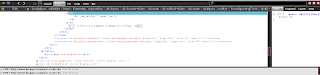
Firebug is a webpage analyzer.
With it you can view, edit, or add HTML, javascript, and CSS. You can also view how much bandwidth a web page has consumed since you started firebug and you can see how much bandwidth each process takes. It is also great to check to see how fact you can do something or if you even have and internet connection.
Speed dial is like the new tab page from Google Chrome, but they are only websites that you set. It has up to 9 saved pages per group and you have an unlimited amount of groups to make.
Google Chrome / Chromium should be the choice for anyone looking for speed, ease of use, and compatibility. When it is a match between Chrome and Firefox it mostly comes down to preference and how much addon support you want.
One of my favorite ideas I saw in firefox were the release channels for beta, current, and alpha. When firefox 5 was released there were already users testing firefox 9, ensuring that the release would mostly be swept of all bugs. You can choose what browser version you want in Linux by added the PPA for whatever version of Firefox you want. The most recent version will gain priority over ones before it. For instance, if you added the Beta PPA and then the Alpha PPA you would be put on the Alpha update channel. You can switch channels at any time by removing the PPA, but I would not recommend that if you are more than a few versions ahead. You could go months without any updates.
One of the two downsides to firefox that I noticed was speed. Firefox (version 6) is considerably slower than Google Chrome. I have slow internet speed, so any speed counts. But for anyone that has a high speed connection it should barely be a noticeable difference.
The other issue was the way tabs are run. In Google Chrome every tab is run as a new process, which people complain can eat away at RAM. But it is a wonderful way to do things, because one catastrophic tab failure will not bring down the entire web browser. While it is rare for this to happen in Firefox it has the ability to happen, which is more than enough to scare me when I am doing something critical through the web browser. Firefox makes up for it by saving tabs for opening the next time firefox opens after an unexpected shutdown.
Extensions
Extensions are pieces of software created by firefox users that either add functionality or change the way something in the browser or on the web works. Google Chrome has a wide range of extensions, but not nearly as vast as firefox's collection. Some of the extensions are Operating System specific, so Linux / OS X users could be left out.
Some of the more popular extensions are Greasemonkey, Adblock, Firebug, and Speed dial
Greasemonkey allows scripts to be installed and managed. Scripts act similarly to extensions but affect only the way websites work. For a huge collection of scripts visit userscripts.org.
Adblock does exactly what the name makes you think it would do. It blocks ads. Not only does it block them, but it stops them from downloading; saving bandwidth. I am not an adblock user because ads support some of people's favorite websites like hotmail, facebook, and even Blogger.

Firebug is a webpage analyzer.
With it you can view, edit, or add HTML, javascript, and CSS. You can also view how much bandwidth a web page has consumed since you started firebug and you can see how much bandwidth each process takes. It is also great to check to see how fact you can do something or if you even have and internet connection.
Speed dial is like the new tab page from Google Chrome, but they are only websites that you set. It has up to 9 saved pages per group and you have an unlimited amount of groups to make.
Google Chrome / Chromium should be the choice for anyone looking for speed, ease of use, and compatibility. When it is a match between Chrome and Firefox it mostly comes down to preference and how much addon support you want.
Subscribe to:
Posts (Atom)